ImgPhotoEditor

Free AI Photo Editor Online

Edit any image in seconds. Remove backgrounds, erase unwanted objects, and upscale photos to crisp 4K quality.

Editing mode
Quick Select:
Image Upload
0/1000
Try these examples
Aspect Ratio
Image Resolution
Loading recent tasks…
4essential AI tools
< 10 sectypical edit time
24 MBmaximum upload
4Khigh-resolution output

Remove Background with AI Photo Editor

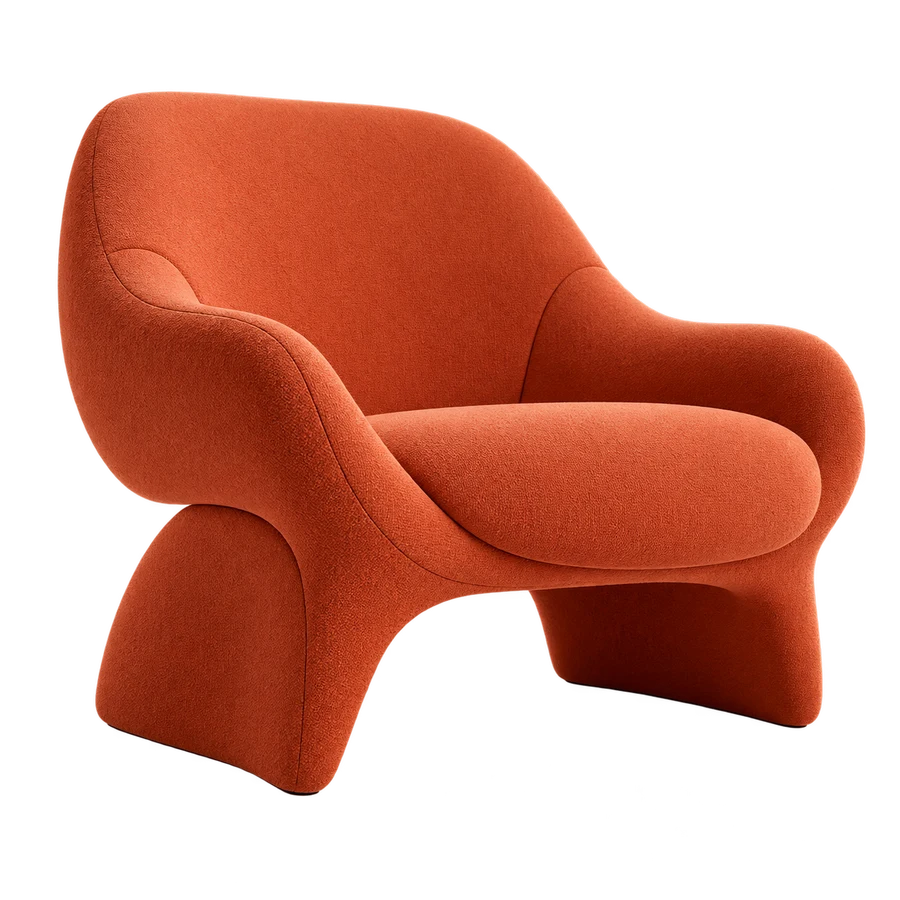
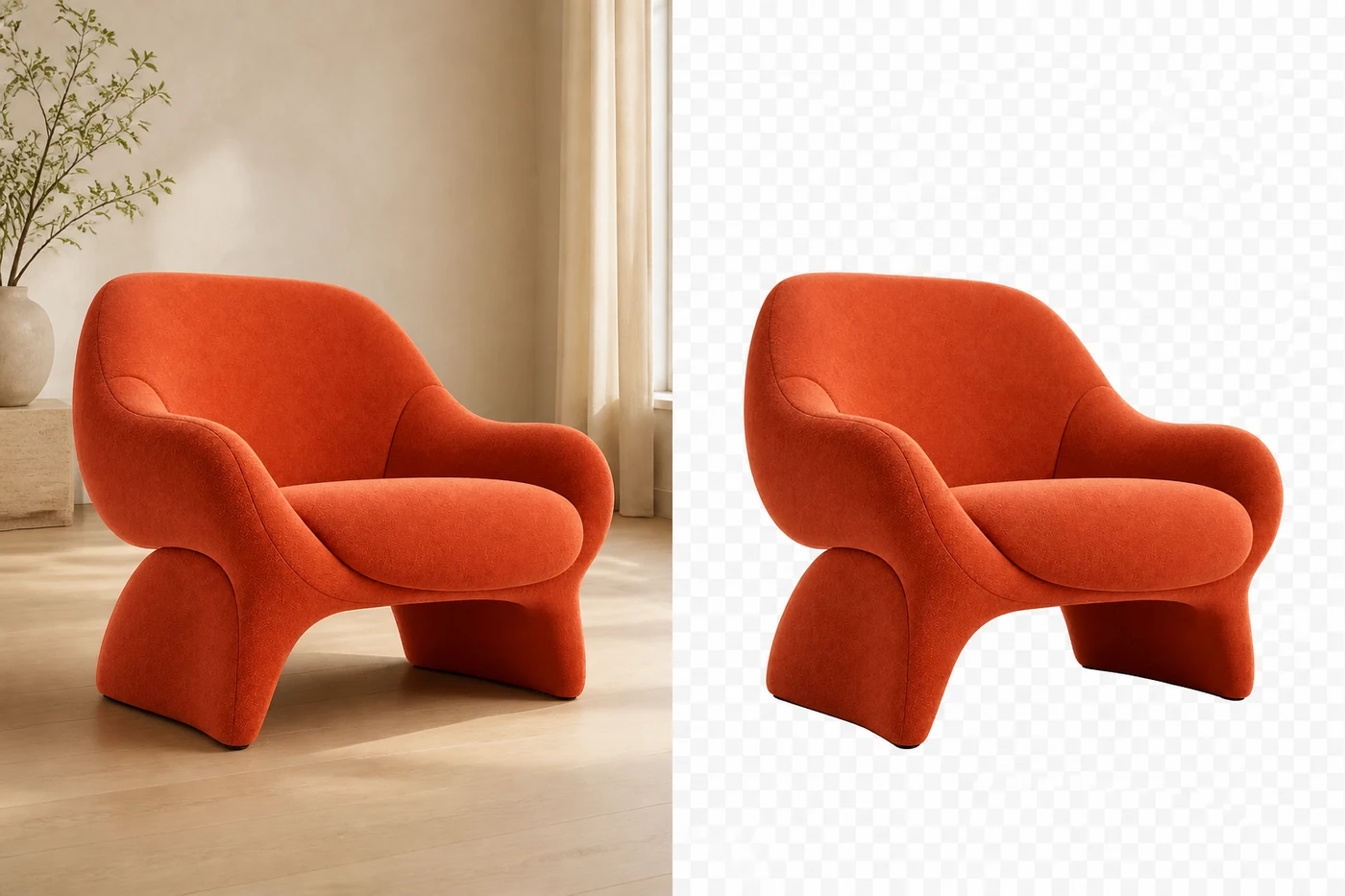
Remove background from photo files in a single click while keeping hair, fur, glass, and product edges crisp. Our free AI background remover separates the subject from busy scenes, then lets you export a transparent PNG or place it on a clean new color. It is ideal for product photos, profile pictures, marketplace listings, and quick design work online.

  • Fine hair edge detection
  • Transparent PNG output
BeforeAfter
ai photo editor remove chair background before and after

Erase Objects from Photos

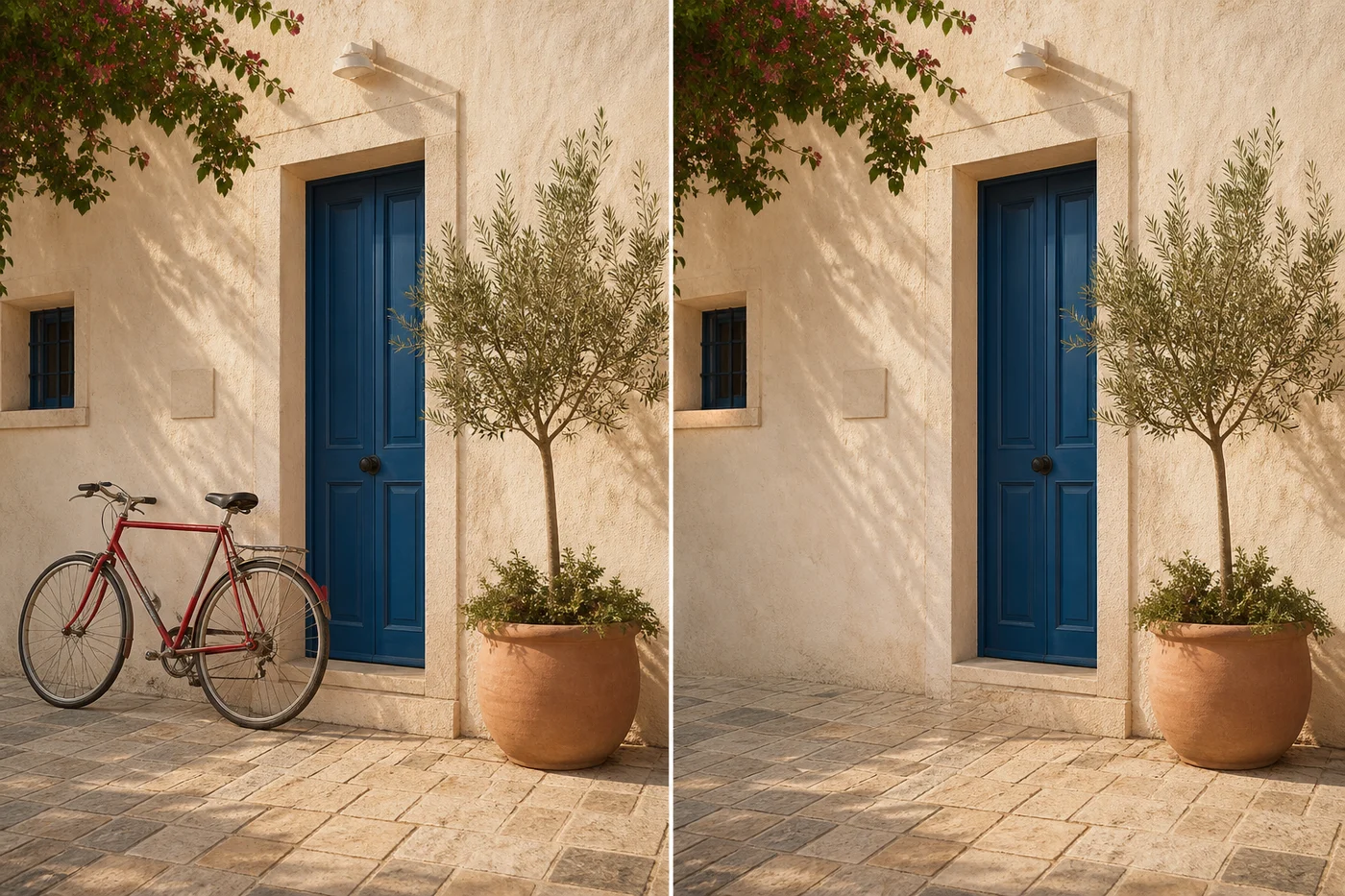
Erase objects from photos without leaving blurry patches or repeated textures. Describe a person, watermark, sign, cable, or distraction and our AI object remover rebuilds the missing area from nearby light, depth, and detail. Clean travel shots, product images, property photos, and social content online in seconds, even when the unwanted object crosses a complex background.

  • Natural texture reconstruction
  • People, text, and object cleanup
BeforeAfter
ai photo editor erase bicycle object from photo before and after

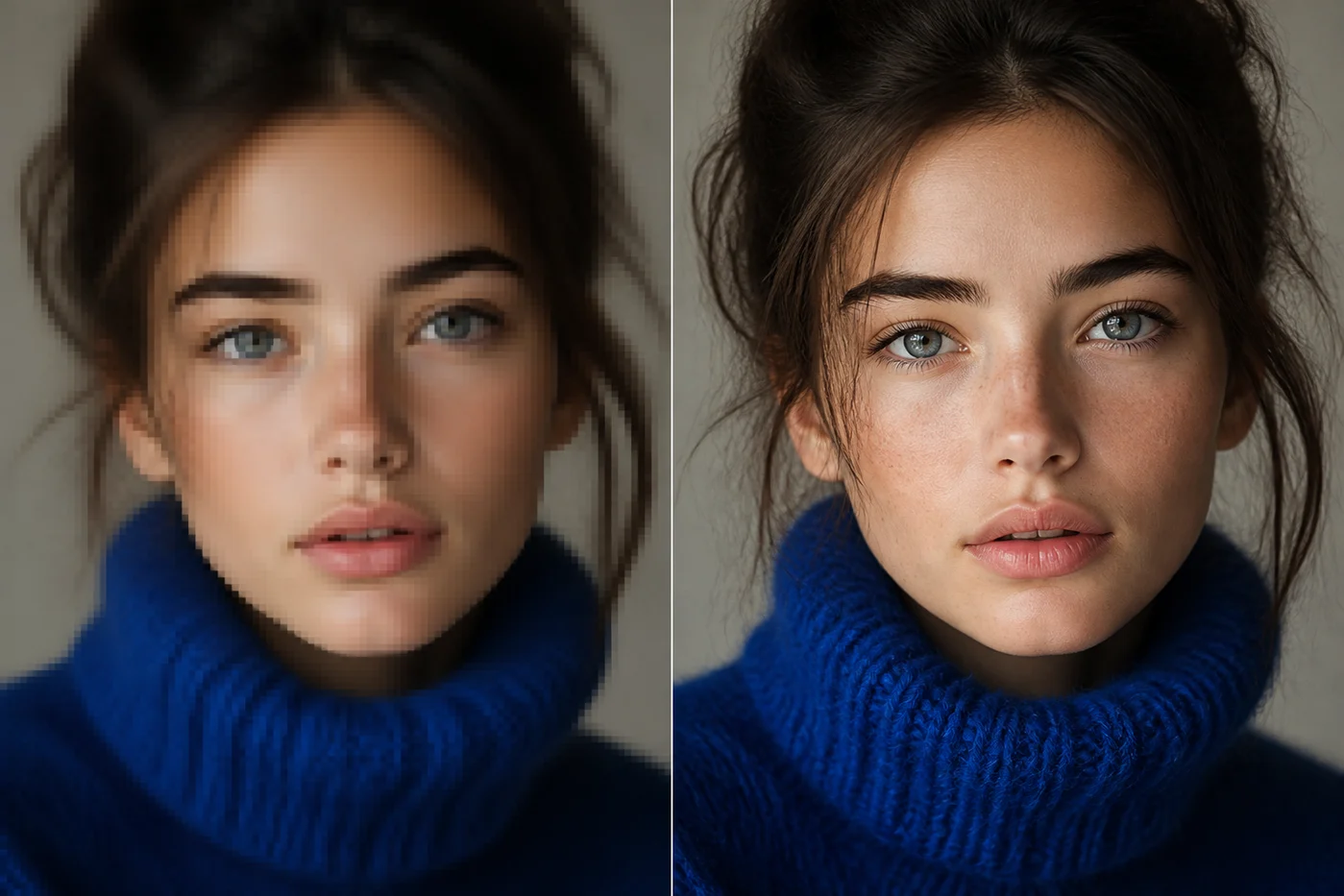
Professional AI Image Editor Online to Upscale Images to 4K

Upscale image to 4K resolution while recovering natural detail that basic resizing cannot create. The AI photo enhancer reduces JPEG artifacts, sharpens soft faces, and restores fine texture in hair, fabric, and product surfaces. Choose 2× or 4× enhancement for old photos, cropped images, presentations, prints, or online listings that need a clearer high-resolution result.

  • 2× and 4× enhancement
  • Sharper faces without plastic skin
Low resolution4K detail
ai photo editor upscale portrait image to 4K before and after

AI Image Extender Powered by AI Photo Editor

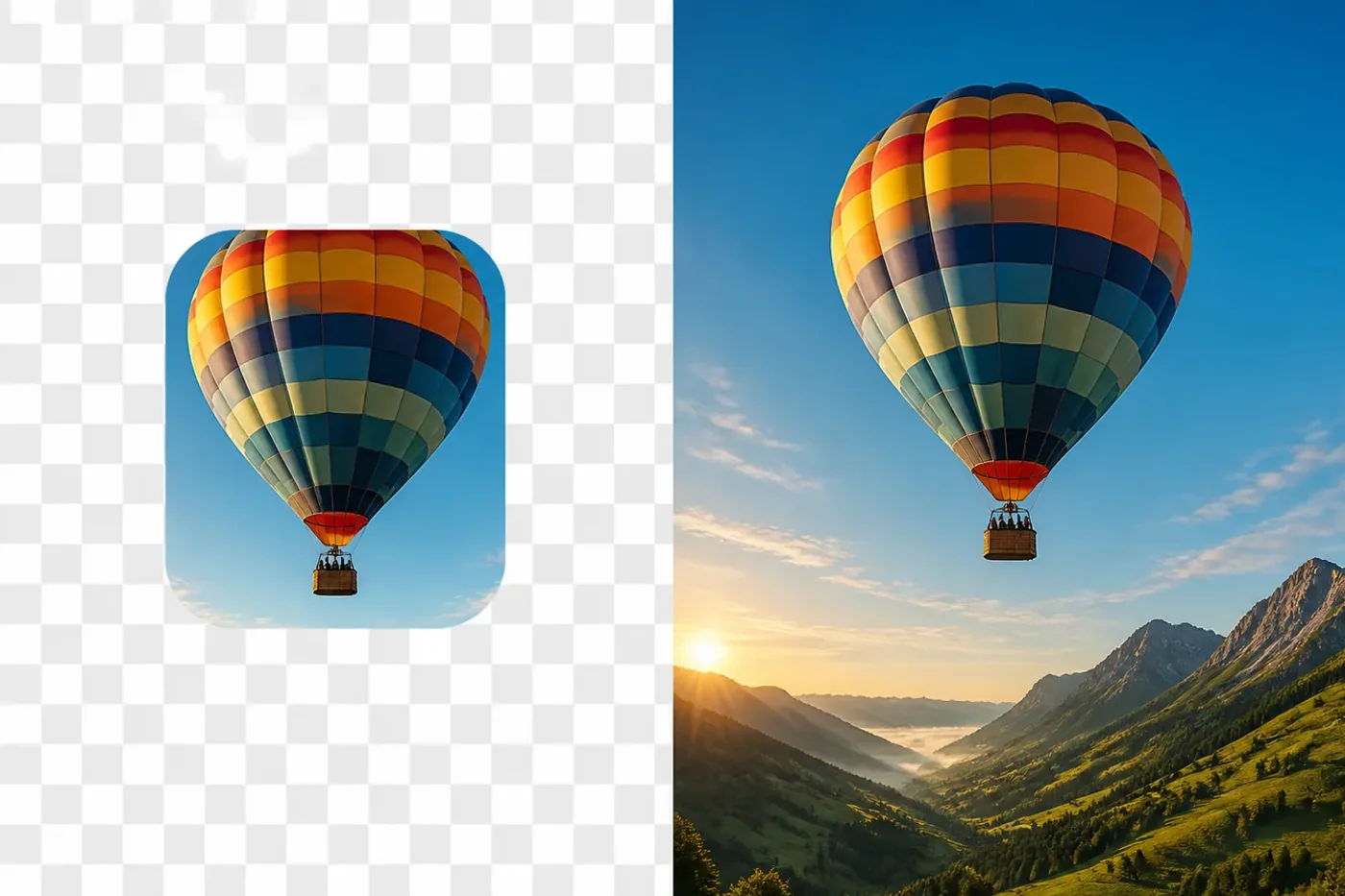
Expand beyond the original borders without cropping important subjects. The AI Image Extender Powered by AI Photo Editor analyzes composition, lighting, perspective, and texture, then generates new scenery that blends naturally with existing pixels. Widen portraits for landscape banners, turn square product photos into social formats, or add breathing room to travel images for websites, ads, presentations, and print.

  • Seamless generative expansion
  • Flexible aspect ratio extension
OriginalExtended
AI Image Extender Powered by AI Photo Editor expanding a cropped hot-air balloon photo

Real-World Use Cases for the Free AI Image Editor

From product listings to personal memories, turn everyday photos into finished visuals for the work that matters.

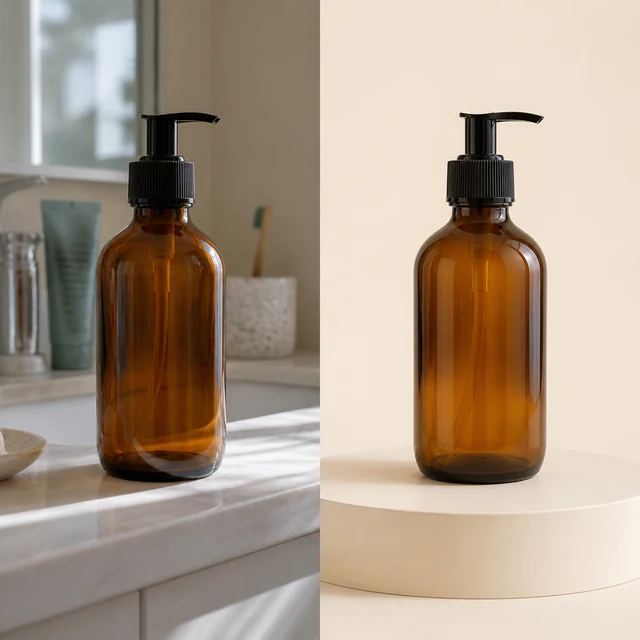
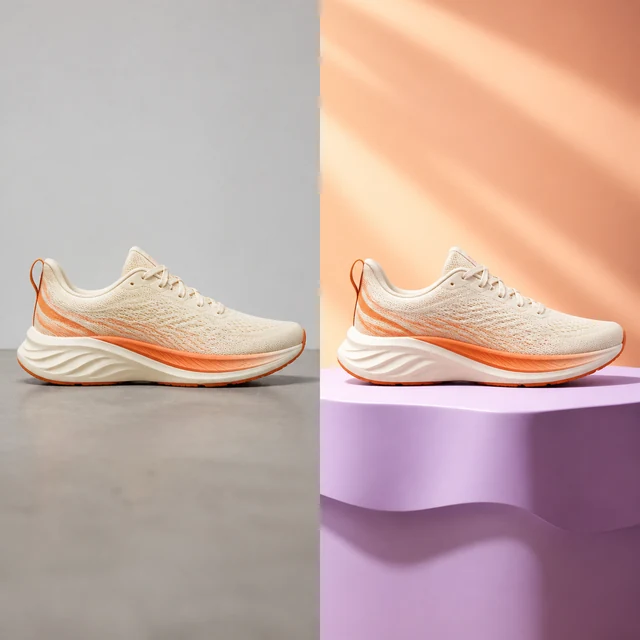
E-commerce product photo before and after AI background cleanup

E-commerce & Online Stores with AI Image Editor

Online sellers and small businesses can turn everyday product shots into polished listing images with the AI image editor. Remove distracting backgrounds, correct colors, and create a consistent visual style for Amazon, Shopify, Etsy, or a personal storefront—helping products look more trustworthy, reducing editing time, and making every catalog easier to scale.
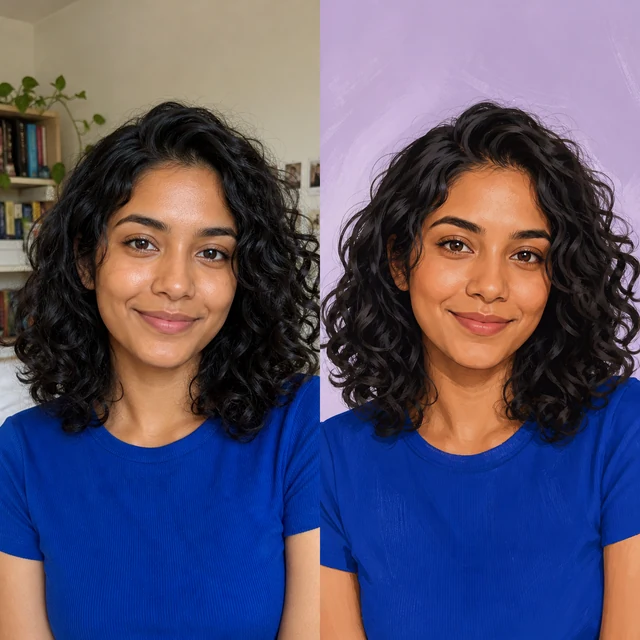
Social media portrait before and after AI style transfer

Social Media & Content Creation with Free AI Photo Editor

Influencers, social media managers, and independent creators can use the AI Photo Editor to transform casual mobile photos into on-brand content in minutes. Change backgrounds, explore visual styles, remove unwanted details, and refine images for Instagram, TikTok, YouTube thumbnails, or campaign posts—making it easier to publish consistently, capture attention, and maintain a recognizable creative identity.

Marketing product image before and after AI enhancement

Professional Marketing with AI Image Editor

Marketing teams, founders, and agencies can use the AI image editor to build campaign-ready product visuals from simple source photos. Replace backgrounds, clean up compositions, and adapt assets for display ads, landing pages, email banners, or social campaigns—reducing production costs while helping teams launch polished creative work across channels faster.

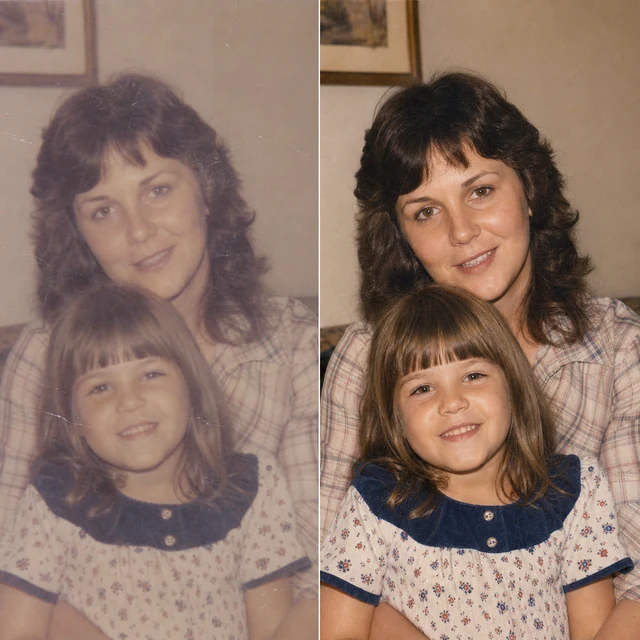
Old family photo before and after AI restoration

Photography & Personal Use with AI Photo Editor

Photographers, families, and everyday users can use the AI Photo Editor to restore older pictures, improve portraits, and clean up travel photos without learning complex software. Fix lighting, remove distracting objects, refresh faded memories, or enhance images for albums, prints, and social sharing—preserving meaningful details while giving every photo a more polished, natural finish.

How to Use Our Free AI Photo Editor

  1. 1

    Choose the Best AI Photo Editor Model

    Begin by choosing the model that best fits your edit. ImgPhotoEditor 4.0 and 3.0 handle precise everyday changes, while Nano Banana, Seedream, and GPT Image options support different creative styles, resolutions, and workflows inside our free AI photo editor.

  2. 2

    Upload a Photo to the AI Picture Editor

    Upload one or more source images in JPEG, PNG, or WebP format, up to 24 MB each. The AI picture editor validates your files and prepares a secure working canvas for background changes, object cleanup, enhancement, fusion, and other visual edits.

  3. 3

    Describe Your Edit in Our Free AI Photo Editor

    Write what you want in clear, natural language. Try instructions such as “remove the background,” “erase the bicycle,” “extend the canvas,” or “enhance the lighting.” Adding details about style, color, and composition helps the AI photo editor return a more accurate result.

  4. 4

    Generate and Download with the AI Image Editor

    Select Generate Images to start the edit. Follow progress in the preview panel, review the completed high-resolution result, and download it when it looks right. Our free AI image editor keeps the workflow simple, with no complicated design software to learn.

Real User Reviews About Our Free AI Image Editor Online

Feedback from creators, sellers, photographers, and everyday users who rely on our AI Photo Editor for polished images without a complicated workflow.

The AI Photo Editor gives my product photos a clean, consistent storefront look without hours of manual tracing. Fine chair edges and small details stay clear, so I can publish new listings much faster.
Online seller profile portrait
Online sellerProduct listings
The AI Image Editor lets me remove a distraction, clean up the frame, and prepare a polished social post in one workflow. I spend less time switching between complicated design tools.
Content creator profile portrait
Content creatorSocial graphics
I use the AI Photo Editor to clear people, signs, and cables from travel shots. The surrounding texture stays natural enough that the final image still feels like the place I photographed.
Travel photographer profile portrait
Travel photographerPhoto cleanup
The AI Photo Editor has a simple upload-and-edit flow that helps me prepare promotional images between other tasks. Even quick changes look polished enough for ads, email campaigns, and website updates.
Small business owner profile portrait
Small business ownerMarketing images
The AI Image Editor makes it easy to export a transparent PNG and move a clean subject directly into a layout. Hair and product edges usually need very little extra cleanup before I continue designing.
Graphic designer profile portrait
Graphic designerCreative workflow
The AI Photo Editor brings useful clarity back to older family photographs without making faces look overly smooth or artificial. I can create cleaner digital copies while preserving the character of the originals.
Family archivist profile portrait
Family archivistOld photo enhancement
The AI Photo Editor helps me remove small distractions so property listings look tidier without changing the character of the space. It is especially useful when I need consistent images across several listings.
Real estate agent profile portrait
Real estate agentListing photos
The AI Image Editor lets me improve low-resolution images before placing them into slides, reports, or class projects. The workflow is quick to understand, and the finished assets look much more presentable.
Student creator profile portrait
Student creatorPresentation assets
The edits stay natural enough for fast client previews, and the before-and-after comparison is easy to review at a glance. It helps me discuss retouching choices before final delivery.
Portrait photographer profile portrait
Portrait photographerClient previews

AI Photo Editor FAQ

Everything you need to know before making your first free online edit.

Is the AI Photo Editor really free to use?

Yes. The core AI Photo Editor tools are designed to be free for everyday changes. You can remove a background, erase unwanted objects, and enhance image quality without entering payment details.

Do I need an account to use the AI Image Editor?

No. You can open the AI Photo Editor and start with an image immediately. ImgPhotoEditor is built around a no-sign-up workflow so a quick photo edit stays quick.

Will images from the AI Image Editor have a watermark?

No. The AI Photo Editor lets you download finished images without an ImgPhotoEditor watermark, making them ready for product listings, presentations, social posts, and personal projects.

Which image formats does the AI Photo Editor support?

The AI Image Editor accepts JPG, PNG, or WebP images up to 24 MB. Depending on the tool, you can export a transparent PNG, a compact WebP, or a high-quality JPG.

Can the AI Photo Editor upscale an image to 4K?

Yes. Select the Upscale tool and choose 4K output. The AI Image Editor is designed to recover detail, reduce compression artifacts, and improve clarity instead of only stretching pixels.

How does the AI Image Editor handle photo privacy?

The AI Photo Editor uses uploaded files only to complete the requested edit. Secure transfer, storage retention, and automatic deletion depend on the configured processing provider and deployment settings, so review the published privacy policy before uploading sensitive photos.

Make every photo look finished.

Remove distractions, clean backgrounds, and recover 4K detail — free, online, and without signing up.

Edit a photo for free